Table of Contents
Key Takeaways
- Start early: A 12‑week prep plan builds a bulletproof Privacy‑First Proof Pack that wins trust and speeds payouts.
- Privacy first: Back up, sign out of accounts, and remove Activation Lock before you wipe—your affidavit and Proof Pack prove you did it right.
- Document everything: Battery health, IMEI, unlock status, and a 60‑second function video turn questions into instant approvals.
- Time it smart: Lock your quote between May and mid‑August, before fall flagships drop and older‑model values slide.
- Choose your path: Carrier, buyback, or private sale—your Proof Pack works everywhere and keeps final offers close to the quote.
Why 2026 Demands a Privacy‑First Proof Pack
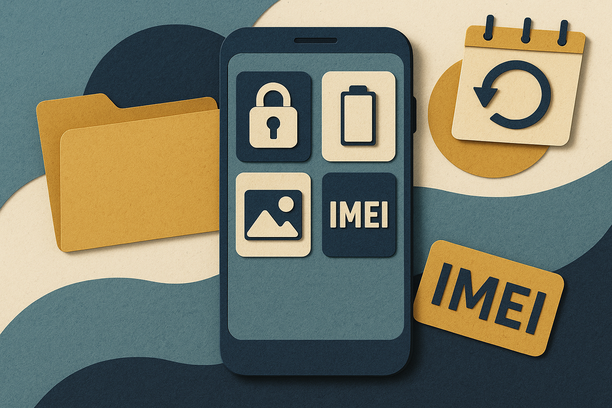
In 2026, buyers want receipts, screenshots, and clean history. A Privacy‑First Proof Pack answers every question up front: Did you back up? Is Activation Lock off? Is the phone unlocked? What’s the battery health? Do the IMEI and purchase receipt match?
When you show it all at once, offers get real—and fast. Think of it like packing a suitcase for your phone: you keep your data safe, show buyers everything they want to see, and time your move before new launches nibble at prices.
What “privacy‑first phone trade‑in” means: You back up and erase the device the right way. You remove locks tied to your accounts. You prove ownership and condition with time‑stamped photos and docs. You protect yourself with a simple affidavit stating you wiped the device securely and removed your accounts.
To make it easy, use our affidavit and Proof Pack guide. It’s simple and built for U.S. buyers, carriers, and buyback sites.
“Industry experts warn that activation lock is the number one deal‑breaker for resale.”
Cross‑border tip (U.S.–Canada): If you plan a cross‑border sale, your Proof Pack also helps at customs and with buyer checks. Make sure IMEI, serial, and purchase receipt line up. Clarify taxes (GST/HST) and duties before you ship. Read our notes here: Cross‑border trade‑in 2026.
The 12‑Week Privacy‑First Prep Plan (May–August)
This is the simple, steady plan. Follow it week by week, or jump to the 7‑day quick sprint at the end if you’re in a rush. The idea is to build your Proof Pack as you go and lock your best quote before late summer.
Weeks 1–2: Baseline and Battery
Start with the basics. Confirm the exact model, storage, and color. Then record battery health.
iPhone: Go to Settings > Battery > Battery Health & Charging. Screenshot “Maximum Capacity.” Android (Samsung, Pixel, etc.): Open your battery settings or use a built‑in diagnostics menu. If needed, use a popular diagnostics app to estimate health and capture a screen. Buyers love proof.
Inspect the phone outside and in. Check for scratches, chips, and camera haze. Note any swelling or fast drain. Take front/back photos in good light now—these “before” pics help if anything happens later.
Why it matters: Battery health is a top deduction factor in 2026. Screenshots boost trust and stabilize final payouts. Source: PhoneCheck’s 2026 resale tips.
Weeks 3–4: Back Up, Then Sign Out and Remove Activation Locks
Now protect your data and cleanly unlink your accounts. Factory resets alone are not enough. You need to sign out first.
Back up your device:
- iPhone/iPad: Use Quick Start for direct transfer to your new device, or back up with iCloud/Finder. Apple’s guide spells it out, including tips for number changes and trusted numbers.
- Android: Back up to Google Drive, your computer, or another cloud. AT&T’s “4 steps” video and page echo this exact move before any trade‑in.
Sign out and remove locks:
- iPhone: Settings > [Your Name] > Sign Out. Also turn off Find My iPhone. Only then erase: Settings > General > Transfer or Reset iPhone > Erase All Content and Settings. A step‑by‑step video for iPhone erase/sign‑out is here.
- Android: Sign out of your Google account. Then factory reset in Settings > System > Reset options.
Lock status trips up more sellers than scratches or dents. Double‑check it is off before you list.
Weeks 5–6: Paper Trail and Unlock Proof
Now assemble the identity pieces buyers ask for.
Proof of purchase: Find your original receipt or invoice. Make sure the IMEI or serial matches the phone in hand.
IMEI and serial: On iPhone, go to Settings > General > About for IMEI, EID (eSIM), and serial. Screenshot it. On Android, check About Phone.
Warranty or AppleCare status: If it’s active, note it in your summary.
Unlock status: This is huge for value. On iPhone, go to Settings > General > About > Carrier Lock. “No SIM restrictions” means unlocked. On Samsung/Android, look for Network/Carrier unlock in Settings. If you paid off the phone recently, contact your carrier to confirm it’s unlocked and request a confirmation email. Screenshot everything.
Tip: Locked phones can fetch 20–50% less than unlocked. Your unlock screenshot can be the difference between a shrug and a “yes.”
Weeks 7–8: Visuals and a 60‑Second Function Test Video
This is where your Proof Pack shines.
Photos (10+):
- Front and back in bright, soft light.
- Edges, ports, SIM tray/eSIM screen, and cameras.
- Screen on and off to show any burn‑in or bright spots.
- Battery Health screen and IMEI screen as proof.
One short video (30–60s): Start with the lock screen. Unlock with Face ID/Touch ID or PIN. Tap around the screen corners. Open the camera; switch lenses; record a few seconds. Play a song to test the speakers. Plug in a charger to show it takes power. End with a soft reboot to the logo.
Label each file with date and what it is. Example: 2026‑06‑01_iPhone15PM_front.jpg; 2026‑06‑01_batteryhealth_92.png; 2026‑06‑01_function_test.mov.
Weeks 9–10: Assemble and Label Your Proof Pack
Make one folder that travels with you across carriers, buyback sites, or private buyers. Keep it privacy‑first and easy to scan.
Include: Photos and video. Battery, IMEI, unlock screenshots. Receipt or invoice (cover payment info). A one‑page summary: model, storage, color, battery %, unlock, known defects, and included accessories. Your wipe affidavit (privacy‑first phone trade‑in).
Use our ready templates and affidavit here:
Weeks 11–12: Choose Your Path and Lock the Quote
Now compare carrier trade‑ins, buyback sites, and private sale. With your Proof Pack, you can move fast.
Carrier phone trade‑in 2026: Simple, steady, sometimes tied to a new plan or bill credits. Buyback platforms: Fast cash, mail‑in kits, and fewer hoops if your docs are strong. Private sale: Often highest price, but you must screen buyers. Your Proof Pack helps you stand out and cuts the back‑and‑forth.
Use AI price alerts or a simple spreadsheet to watch quotes for 2–3 weeks. Lock your final sale before late August or early September when new flagships drop and older models slide.
What to Include in Your Proof Pack (Channel‑Agnostic)
This is your golden bundle. It works anywhere.
Screenshots: Battery maximum capacity (and cycle count if shown). Activation Lock off (iPhone) / Google account removed (Android). Carrier unlock confirmation on the device and any carrier email. IMEI/serial pages.
Docs: Purchase receipt with matching IMEI/serial. Simple privacy affidavit confirming a secure wipe and account removal. Any repair invoices or AppleCare/warranty status.
Media: Clear, well‑lit photos (front/back/edges/ports/cameras/screen on+off). One 30–60s function‑test video.
Why it works: Verified info builds trust. It stabilizes final payouts and speeds approvals, especially in private or cross‑border deals. Use these deep dives for context:
Timing: Best Time to Trade In Phone 2026 (May–August)
Market timing can boost your check without lifting a finger.
Prime windows: After tax season, Memorial Day sales, and pre–back‑to‑school upgrades keep used device demand strong into July.
Strategy: Use a 60‑day window to prep, track quotes, and list. Lock before late August or September, when new flagships launch and older‑model values often dip.
Tax refund angle: If your refund arrives late, use it to fix small issues (like a new charging cable) or to buy a simple case that keeps the phone clean until sale day.
Dive deeper:
Value Lift and Risk Controls
When you bring a strong Proof Pack, your final payout is more likely to match the quote. In our experience and community reports, sellers who follow a privacy‑first plan see more consistent outcomes, and fewer deductions for surprise issues.
Expected upside: Clear proof and a clean wipe can improve the consistency of final payouts—especially outside carrier portals—by a significant margin.
Risk controls:
- Never fake screenshots. It’s not worth it.
- Triple‑check that Activation Lock is off and your Google/Apple accounts are fully removed.
- Confirm your IMEI is clean (not blacklisted).
- Keep your original receipts safe.
- Photograph your packaging before you ship.
Get the affidavit and privacy‑first how‑to here:
Deep‑Clean: Factory Reset and Wipe (The Right Way)
After backups and sign‑outs, complete a proper factory erase.
iPhone: Settings > General > Transfer or Reset iPhone > Erase All Content and Settings. Do this only after you’ve signed out of iCloud and turned off Find My.
Android: Settings > System > Reset options > Erase all data (factory reset).
Remove your SIM and any SD card. Clean the phone with a dry microfiber cloth. Test buttons, ports, cameras, and speakers one last time.
Best Buy’s prep guide also reminds you to cancel extra plans or service add‑ons after your reset, which is a nice catch that many sellers forget.
Shipping and Program Paths (Apple, Carriers, Buyback, Private)
Your Proof Pack plus careful packing equals smooth sailing.
Apple Trade‑In: If you pick mail‑in, Apple’s 2026 trade‑in kit includes a prepaid label and snug packaging. A short unboxing video shows the filler and separate device compartment so your phone doesn’t rattle around. Smart and safe.
Carriers and Best Buy: You can trade in store or mail in. Bring or upload your reset proof and your key screenshots. Keep your Proof Pack handy on your phone or a cloud link.
Buyback Platforms: Upload your pictures and Proof Pack notes with your quote request. The extra clarity can help your initial offer stick.
Private Sale: Share your Proof Pack selectively (hide personal info). Offer a short live video call to show the phone working. Ask for secure payment methods and confirm identity basics.
7‑Day Quick‑Start Sprint (If You’re Short on Time)
No time for 12 weeks? Run this fast plan.
1) Day 1–2: Back up, sign out, and unlock
Back up your phone. Sign out of iCloud/Google. Turn off locks. Confirm carrier unlock and screenshot it. Grab IMEI/serial and battery health screenshots.
2) Day 3–4: Photos and test video
Shoot 10+ photos: front, back, edges, ports, screen on/off, cameras. Record a 30–60s function‑test video.
3) Day 5–7: Assemble and list
Build a one‑page summary and zip your Proof Pack. Compare 3–5 quotes: carrier, buyback, private sale. Lock one offer with a return window if possible.
Must‑Know: The Core How‑Tos Backed by 2026 Research
We built this playbook on official guides and industry tests. Here are the key takeaways, with direct sources.
- Back up before you wipe. Apple’s Quick Start and iCloud/Finder backups make upgrades simple, including steps if your phone number is changing.
- On Android, back up to Google Drive or a PC. AT&T’s 4 steps warn you to do this before trade‑in, and to remove your SIM and double‑check your reset.
- A factory reset is not enough without signing out of accounts first. A quick iPhone walk‑through shows Settings > Apple ID > Sign Out before erase.
- Battery health matters a lot in 2026. Buyers expect proof. Accessories and clear documentation also help offers hold steady.
- Complete your wipe and plan cancellations. Best Buy notes a proper factory reset and reminds you to cancel device‑specific plans after.
U.S.–Canada Trade‑In Touchpoints (2026)
Listing across the border? Your Proof Pack does the heavy lifting.
Make sure your IMEI, serial, and receipt match. Keep your wipe affidavit and activation‑lock proof ready. For customs, describe the device clearly and keep your declared value honest. Understand duties and GST/HST, and who pays what. If unsure, pick a platform that handles cross‑border taxes at checkout.
Get the full cross‑border checklist here: US–Canada phone trade‑in 2026.
The Buyback Mindset in 2026
Buyers and platforms are handling big volume. When your listing arrives with clean privacy steps and full documentation, it slides right to the “approved” lane. That saves time for them—and earns money for you.
If you’re comparing carriers, buyback sites, and private sale, your Proof Pack lets you switch tracks without redoing work. You can even list in two places (with one as a backup) and take the first strong, verified offer.
For a quick sanity check before you click “submit,” run our 60‑second checklist.
GizmoGrind Promise (and a Few No‑Gos)
At GizmoGrind, we love clean, documented trade‑ins. We pay fast and keep it simple. But please remember:
- We do not accept iCloud‑locked, blacklisted, lost/stolen, or water‑damaged devices.
- We recommend removing cases and screen protectors before photos, so we can see real condition.
- Your Proof Pack helps us verify and approve your quote faster.
Private Sale vs. Trade‑In: Which Path Wins?
Trade‑in (carrier or buyback): Speed, less back‑and‑forth, and safer shipping. You might leave a little money on the table, but the time you save can be worth it.
Private sale: Often higher price, but more work. Use your Proof Pack for trust. Meet in safe places or ship with reliable tracking and insurance.
In a rush? Run the 7‑day sprint. Want to squeeze every dollar? Follow the 12‑week plan, watch offers for two months, and lock your move before fall launches.
Your Mini Phone Trade‑In Checklist 2026
Use this bite‑size list right before you ship or meet a buyer.
- Backup complete. Accounts signed out. Locks off.
- Battery health screenshot saved.
- Unlock status confirmed and screenshotted.
- IMEI/serial screenshot and matching receipt ready.
- 10+ photos and a 60‑second function video done.
- Wipe affidavit signed. Summary page updated.
- Packaging photographed before shipment.
Need a printable version? Grab our templates here:
Frequently Asked Questions
How do I confirm Activation Lock is off on iPhone?
On the phone, go to Settings > [Your Name]. If you see the option to Sign In, you’re signed out. Also check Settings > Find My to confirm it’s off. Then complete your erase.
What about Android account locks?
Remove your Google account under Settings > Accounts. Then factory reset. This prevents factory reset protection from tripping.
How do I prove my phone is unlocked?
On iPhone, check Settings > General > About > Carrier Lock. “No SIM restrictions” is your green light. On Android, look for “Network unlock” or insert a different carrier’s SIM to test. Screenshot proof.
What if I don’t have the original box or charger?
It’s okay. You can still get strong offers with a solid Proof Pack. If you do have accessories, include them. Many buyers like complete kits.
Is there a best time to sell my phone in 2026?
Yes. May to mid‑August is strong. Try to lock your offer before fall flagships launch, when older models often dip. See timing tips here.
Can I sell cross‑border (U.S.–Canada)?
Yes, but check duties and taxes, and make sure your docs match your customs info. Our cross‑border guide helps.
How do I share Proof Pack files safely?
Use a cloud link. Hide personal billing details on receipts. Keep IMEI visible. Don’t post your full serial openly on social media.
Will GizmoGrind take my phone if it’s locked, blacklisted, or water‑damaged?
No. We do not accept iCloud‑locked, blacklisted, lost/stolen, or water‑damaged devices.
The Bottom Line
Phone trade‑in prep 2026 is all about proof and privacy. Build your Proof Pack. Back up and wipe the right way. Show battery health, IMEI, unlock status, and clean photos. Time your move before fall launches. Then pick your path—carrier, buyback, or private sale—and cash in with confidence.
Ready to start? Use these research‑backed resources once as you go:
- Apple Support: Backups, Quick Start, and signing out before trade‑in
- AT&T: 4 steps before trade‑in (backup, wipe, SIM, double‑check)
- YouTube: iPhone erase/sign‑out demo for 2026
- PhoneCheck: Why battery, accessories, and proof matter in 2026
- Best Buy: Device trade‑in prep and plan cancellations
- YouTube: Apple Trade‑In Kit 2026 packaging demo
And for templates, timing, and cross‑border help:
- Privacy‑First Proof Pack and affidavit
- 12‑Week phone trade‑in prep plan
- The full 12‑week calendar
- Battery health and payouts
- Cross‑border trade‑in 2026
- When to sell in 2026
- Tax refund timing
- 60‑second pre‑sale checklist
Pack your proof. Protect your privacy. Get your best price. That’s the 2026 way.