Table of Contents
Key Takeaways
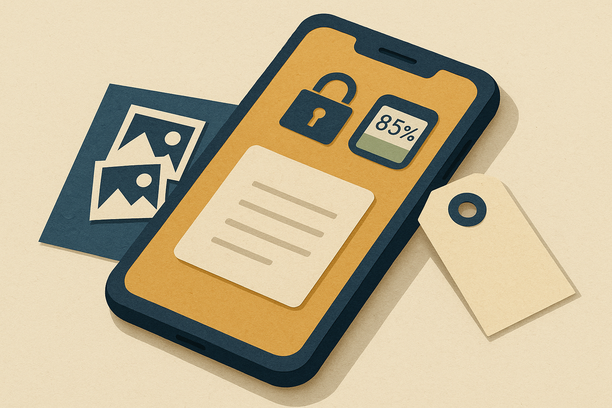
- 2026 buyers demand proof: Battery health 85%+, full privacy wipes, and unlock verification can boost offers by up to $100 on iPhones.
- Battery is king: Phones with 85–90%+ capacity command better prices; below 80% expect drops unless you replace.
- Privacy beats factory reset: Remove all accounts and turn off Activation Lock—the #1 deal-breaker in resale.
- Unlocked sells faster: Phones with “No SIM restrictions” move quicker and fetch higher payouts across all US carriers.
- 60 days = proof + value: This playbook gives you time to replace batteries, unlock, build a privacy proof pack, and snap pro photos before listing.
Why a 60-Day Plan Wins in 2026
Spring is here, tax refunds are rolling in, and buyers want clean, honest phones—fast. This isn’t about rushing a last-minute listing. It’s about building trust signals that stop lowball offers before they start.
Buyers in 2026 are careful. They check privacy, battery, and unlock status. Your proof removes doubt and speeds the deal. Battery health is the make-or-break metric—phones with 85–90%+ capacity can earn you up to $100 more. Below 80%? Expect price drops unless you invest in a replacement.
A full privacy wipe beats a simple factory reset every time. You must remove accounts and turn off Activation Lock. That’s the big deal in 2026. Clean, bright, honest photos raise trust and speed offers, too.
“Industry experts warn that activation lock is the number one deal-breaker for resale.”
That one line explains the whole plan. Remove the lock. Show your proof. Win your price. This guide gives you a 60-day phone selling playbook you can execute at home, a privacy proof pack for phone trade-in you can share with any buyer or GizmoGrind, a battery and unlock strategy to unlock iPhone for maximum payout, and a shot list for high-quality photos for phone listing.
GizmoGrind note: We’re an online trade-in platform for the US. We pay fast for used phones, tablets, MacBooks, Apple gear, and watches. We do not accept iCloud-locked, blacklisted, lost/stolen, or water-damaged devices. Our goal is simple—easy quotes, safe wipes, and responsible reuse.
The 60-Day Phone Selling Playbook
Weeks 1–2: Capture the Basics, Set Your Baseline (Days 1–14)
Start with facts. Buyers love facts.
Confirm model and ID. On iPhone: Settings > General > About for model, IMEI/serial. Also check “Carrier Lock.” If it says “No SIM restrictions,” your phone is unlocked. Unlocked phones usually sell for more.
Test your phone. Try your speakers, mic, cameras, buttons, and sensors. Note any dents or scratches. Be honest in your notes—this transparency builds trust and prevents disputes later.
Check battery health. On iPhone: Settings > Battery > Battery Health & Charging. Aim for 85–90%+. Under 80% means buyers may drop the offer or ask for a lower grade. Sources confirm that battery health and proof are critical in 2026.
Back up right now. Use iCloud or a computer. Then unpair Apple Watch (Watch app > Unpair) and forget Bluetooth items (Settings > Bluetooth > Forget). This prevents pairing conflicts for the next owner.
Why it matters: Buyers in 2026 often ask for battery health screenshots and IMEI/serial checks. Clear proof makes pricing easy and builds confidence.
Weeks 3–4: Boost Battery Health and Unlock Your Phone (Days 15–28)
This is where you raise value.
Decide on a battery plan. If you’re at or under 85%, consider a battery replacement. Under 80%? Replacement is often worth it. Many sellers see up to a $100 jump when health reads 100% after a fresh battery.
Tune your phone. Update to the latest OS, and use smart charging. This helps day-to-day health while you prep. Small habits like avoiding extreme temps and partial charging cycles make a difference.
Carrier unlock phone for resale. Call your carrier if your iPhone is locked. Ask for an unlock so it works on all US networks. Unlocked = more buyers, better price.
Gather care details. If you have AppleCare+, note if it is active and transferable. Also list any repairs you did. Buyers like to see a clean service history.
Tip: Schedule the unlock now. Some carriers take days. Your 60-day window gives it time to clear before you list.
Weeks 5–7: Privacy Wipe Protocol with Proof (Days 29–49)
In 2026, a factory reset alone is not enough. Buyers want full account removal and Activation Lock OFF. This protects you too.
Sign out of iCloud/Apple ID. On iPhone: Settings > [your name] > Sign Out. Then turn off Find My: Settings > [your name] > Find My > Find My iPhone > Off. This removes Activation Lock.
Erase all content. On iPhone: Settings > General > Transfer or Reset iPhone > Erase All Content and Settings. After erase, check that no SIM/eSIM data stays active. Sources emphasize this step is critical for both buyer trust and legal protection.
On Android (like Galaxy). Settings > General Management > Reset > Factory data reset. Then remove your Google account.
Document your wipe. Take screenshots before the erase to prove Sign Out, Find My OFF, and battery health. This is your data wipe verification for selling phone proof. GizmoGrind’s 60-day guide leans on this proof to keep top quotes steady.
Important: This is the heart of our privacy-first plan. A clean, verified wipe stops relocks, rejects, and delays. It’s your safety and your buyer’s trust in one move.
Week 8: Clean, Photograph, and List Like a Pro (Days 50–60)
Make your phone camera-ready. Then show buyers the truth—clearly.
Clean safely. Power off. Use a soft microfiber cloth and 70% isopropyl wipes. No bleach. No heavy water. No abrasives. Sources confirm safe cleaning is a must-do before photos.
High-impact photos. Use daylight near a window. Snap the front (screen ON), back, both sides, ports, camera lenses, any damage, and all accessories. Add a battery health screenshot. If you show an IMEI/serial, mask part of it for safety. Clear photos and honest shots build instant credibility.
List with facts. State battery health %, unlock status, wipe status (Activation Lock OFF), condition, and what you include. Time your sale near big carrier promos or post-new iPhone drops for demand bumps.
Ship right. Use tracking, insurance, and a snug box with padding. Keep the tracking number in your records. This final step ensures your privacy and payment protection.
The 2026 Value Levers (and What To Do)
Battery health: This is make-or-break. 85%+ can mean +$50–$100 vs. low-health units. Action: replace if low, then screenshot your new health. Sources include iPhone Battery Health: All You Should Know, The Whiz Cells guide, and Phone Resale in 2026.
Privacy wipe: A “clean” phone avoids rejects. Action: fully sign out, turn off Find My, erase, then keep proof. Sources: Phone Resale in 2026 and privacy before selling phone 2026.
Unlock status: Unlocked sells faster across US carriers. Action: verify “No SIM restrictions.” If locked, request unlock. Sources: iPhone Battery Health guide and Whiz Cells prep checklist.
Photos and condition: Trust grows with clear, honest shots. Action: 10+ bright photos and a simple, true description. Sources: Whiz Cells and PhoneCheck 2026 guide.
Timing: Start now. 60 days lets you unlock, replace a battery, and build proof. Action: follow this calendar to finish by June. Source: privacy before selling phone 2026.
Your Privacy Proof Pack (Templates You Can Use)
This is your secret sauce. Build it once. Use it in your listing or send it with your trade-in. It stops back-and-forth and defends your value.
1) Privacy Proof Pack checklist
- Screenshot: Battery Health & Charging page (showing Max Capacity %).
- Screenshot: Settings > General > About (model, IMEI/serial; mask part of ID for safety).
- Screenshot: Carrier Lock page showing “No SIM restrictions” (if unlocked).
- Screenshot: iCloud Sign Out completed (pre-erase).
- Screenshot: Find My iPhone OFF (pre-erase).
- Note: Date and time of full erase (Settings > General > Transfer or Reset iPhone > Erase All Content and Settings).
- Photo set: Front ON, back, sides, ports, lenses, any wear, box/accessories.
2) Simple affidavit (paste into a doc and sign)
“I, [Your Name], confirm this device [Model/IMEI last 4] is mine to sell. iCloud/Find My is OFF. All data has been erased. No blacklists, no theft reports to my knowledge. Battery health and condition are shown in the photos. Date: [MM/DD/YYYY], Signature: __________”
Want a printable version and sample gallery? See our privacy proof pack for phone trade-in guide.
3) Activation Lock-off and wipe verification steps (iPhone)
- Step 1: Settings > [Your Name] > Sign Out.
- Step 2: Settings > [Your Name] > Find My > Find My iPhone > Off.
- Step 3: Settings > General > Transfer or Reset iPhone > Erase All Content and Settings.
- Step 4: After restart, stop at the Hello screen (don’t set up). This shows the phone is ready for the next owner.
Why this matters in 2026: buyers want proof beyond a factory reset. Source: Phone Resale in 2026.
4) 10+ photo checklist with safe IMEI masking
- 1: Front, screen ON (home screen to show no lines/ghosting).
- 2: Back glass.
- 3–4: Left and right edges (buttons visible).
- 5–6: Top and bottom edges (ports, speakers).
- 7: Camera lenses close-up.
- 8: Any scuffs or chips.
- 9: Accessories (cable, box).
- 10: Battery Health screenshot.
- Optional: About page with IMEI/serial (cover a few digits).
For more camera tips and a staging guide, use our photo-to-listing checklist.
Your 60-Day Calendar (Quick Hits)
Week 1: Back up. Unpair watch. Note model/IMEI. Check unlock status. Check battery health.
Week 2: Full device test. List any wear. Decide if you’ll replace the battery.
Week 3: Book battery service if needed. Request carrier unlock if locked.
Week 4: Update OS. Re-check battery after new habits or service.
Week 5: Start privacy steps. Sign out of iCloud and turn off Find My.
Week 6: Erase all content and settings. Stop at Hello screen.
Week 7: Build your Privacy Proof Pack. Take all screenshots and photos.
Week 8: Write listing, price smart, and ship with tracking once sold or trade-in is locked.
Need the why behind this schedule? It gives time for unlocks, battery work, and clean wipe proofs before you list. Source: privacy before selling phone 2026.
Listing Copy Skeleton (Steal This Text)
Title: iPhone [Model], [Storage] — [Battery Health %], [Unlocked/Carrier], Clean Wipe, Great Shape
Body:
- Battery: [XX%] (proof in photos)
- Carrier: [Unlocked / Carrier] (“No SIM restrictions” shown)
- Privacy: iCloud/Find My OFF; factory erased; ready to activate
- Condition: [Brief, honest summary of any marks]
- Includes: [Cable/Box/Case/etc.]
- Notes: [Any AppleCare+ or recent repairs]
- IMEI/Serial: Available for buyer check (masked for safety)
- Shipping: Tracked and insured
This simple copy sets trust right away. It’s built to match how to prepare phone for sale 2026 expectations in the US.
Common US Seller Pitfalls in 2026 (And How You Avoid Them)
Skipping battery checks or unlocks. This lowers offers or stalls deals. Our plan fronts these tasks. Sources: iPhone Battery Health, Whiz Cells, and Phone Resale in 2026.
Incomplete wipes leave Activation Lock. Buyers walk away. Our checklist clears the lock and proves it. Source: Phone Resale in 2026.
Weak photos or retail-price thinking. Poor shots and overpricing kill trust. Our photo and listing plan fixes that. Source: Phone Resale in 2026.
Forgetting chargers or the box. These small things sweeten the deal. Source: Whiz Cells guide.
Private Sale vs. Trade-In: What Fits You in 2026?
Private sale: You might squeeze a bit more, but you’ll field messages and ship yourself. Your proof pack will help you win a clean, quick buyer.
Trade-in: You get instant quotes and fast payouts without the hassle. US services accept wear if you disclose it. Sources mention that sites like GadgetPickup, Whiz Cells, and GoRoostr streamline this flow when you share clear info up front.
At GizmoGrind, our process is 100% online with quick quotes and fast payouts. We help you keep your privacy safe and your value high. Reminder: we do not accept iCloud-locked, blacklisted, lost/stolen, or water-damaged devices.
Quick How-To Blocks
How to check iPhone battery health for sale
Settings > Battery > Battery Health & Charging. Screenshot the Max Capacity %. Keep it in your proof pack. Source: iPhone Battery Health: All You Should Know and When to Sell.
How to remove Activation Lock before selling iPhone
Settings > [Your Name] > Sign Out. Then Settings > [Your Name] > Find My > Find My iPhone > Off. Then erase. Source: Phone Resale in 2026.
How to carrier unlock phone for resale
If About shows a lock, contact your carrier and request an unlock. Give it time to complete before listing. Source: Whiz Cells guide.
How to do a phone privacy wipe before trade-in (Android)
Settings > General Management > Reset > Factory data reset. Remove your Google account after. Source: GoRoostr.
Mini Case: Why Proof Stops Lowballs
Picture two sellers with the same iPhone. One shows nothing. The other shows battery health at 92% (screenshot), “No SIM restrictions” (photo), Activation Lock OFF and proof of erase (screenshots), and 12 bright photos with every angle.
Who gets the clean, top offer? In 2026, buyers choose proof. That’s why your privacy proof pack for phone trade-in matters.
Frequently Asked Questions
Is a factory reset enough in 2026?
No. You must sign out of your Apple ID, turn off Find My, and then erase. Buyers want proof of all three. Source: Phone Resale in 2026.
What battery health should I show?
Aim for 85% or higher. Below 80% often hurts offers unless you replace. Source: iPhone Battery Health: All You Should Know and When to Sell.
Should I replace my battery before I sell?
If you’re under 85%, it can pay off. Many sellers see up to a $100 swing with fresh 100% readings. Source: Whiz Cells.
Do I need to unlock my phone?
If you can, yes. Unlocked phones sell faster and often for more. Source: Whiz Cells.
What should I ship with the phone?
Use a snug box, padding, tracking, and insurance. Include your cable/box if you have them. Source: privacy before selling phone 2026.
Your Next Move
Week 1 starts now. Check battery health. Confirm unlock. Back up. This kicks off your 60-day phone selling playbook.
Build your proof as you go. Keep screenshots and photos in a folder called “Phone Sale 2026.”
Use our listing skeleton to post, or get a fast quote with GizmoGrind and upload your proof pack to lock your best offer.
When you bring privacy, battery health, unlocks, and photos together, you get clarity. Clarity gets you paid. That’s the whole mission of this iPhone resale checklist 2026: protect your data, tell the truth, and make your phone shine.
Ready to sell smarter, safer, and faster? Let’s get you to that June payout.